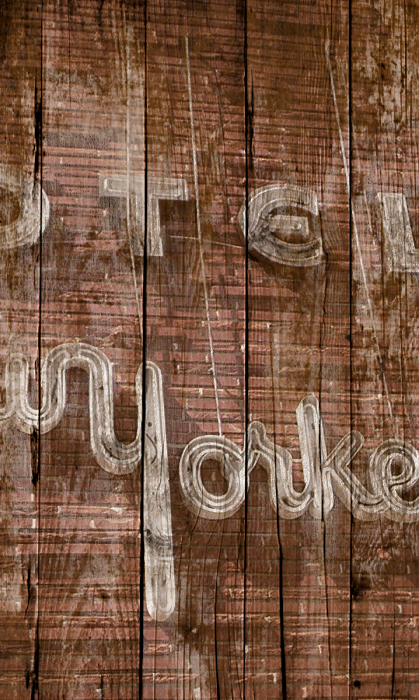
Welcome
Welcome to Machine Wash Deluxe! Now you can create professional quality weathering, surface and tactile effects on any image in Adobe Photoshop and compatibles. This manual explains how to install and get the most out of your new software and provides an overview of all Machine Wash Deluxe features.


What's New
This section lists the new additions, features and improvements included in this release.

Most Requested New Features
For years customers have been suggesting new features and ideas to improve our plug-in and we listened!
  • It's Downloadable! - No need to wait a week for your new software to arrive now that you can order online and download right away!

  • Texture Effect Picker with Live Preview - It's now faster and easier to find and preview the perfect texture in real-time on your images without wading through every texture effect. You can also filter the effects by style and set name.

  • Apply Wash Effect on Mask Layer - Now you can apply our popular Wash effect in the image mask layer allowing you to fine-tune the Wash effect while leaving the original image untouched*.

  • Presets are Here! - Now you can create and save as many presets as your heart desires to recall your favorite plug-in effect settings. To help get you started we came up with plenty of our own factory presets to show off the rich new features of this plug-in!

New Plug-in Features
We started from scratch and rebuilt the plug-in from the ground up expanding and enhancing it every step of the way to create the most realistic and amazing effects we could imagine! And while most people know our plug-in for it's amazing Wash effects, you'll be amazed when you see our brand new Surface and Background effects!
  • Introducing Surface Effects - Create dimensional surface effects with powerful and easy-to-use lighting and color control.

  • Say 'Goodbye' to Heavy Cycle and 'Hello' to Background! - Now create realistic background images and effects with precision control and ease!

  • Effect Multiplier - Don't bother running the plug-in multiple times to combine effects, now you can create multiple image effects at once.

  • Add Depth! - Now create, apply and adjust natural and realistic looking 3D textured depth perspective on all of your images.

  • Link Effect Settings - Once you have created the ideal texture settings, sync the texture effect scaling and orientation throughout each tabbed section of the plug-in to make editing easy!

General Plug-in Improvements
Not only have we introduced plenty of new features but we made some existing features better than ever!
  • Enhanced Previewing - With powerful new Preview window options, you can easily preview and edit just the image effect or a composited preview.

  • Apply Effects in New Layers* - Don't worry about losing your original image when you can now generate filtered images in a new layer*.

  • Better Texture Effects on Larger Images - We've improved texture resampling to retain even more texture detail when applied to larger images.

  • Always up to Date - Auto-update makes sure you always have the latest version of the Machine Wash Deluxe plug-in on your machine.
* NOTE - Layer and Mask features are only supported in Adobe Photoshop and compatibles that support layers and masking functions.

Machine Wash Image Filters and Texture Collections
Originally released in 2004, the Machine Wash Image Filters applied .PDF wash effect images to layered Adobe Photoshop images by way of custom ActionScripting run from the Actions pallette. Each texure collection was released successively with 60 unique Wash texture effects in .WSH format per Volume to choose from with it's own Adobe Photoshop native plug-in.

The plug-in filter was later expanded to include not only its popular Wash effect but a new Surface effect and a greatly enhanced Background effect. Additionally, all texture effects were re-released in .MWD format to allow the filter to store additional style sorting information. The plug-in was made to be freely distributed with a host of free Default texture effects and all texture sets are available for purchase at:
http://www.misterretro.com/image_filters.html